
Quick Pay Excise Sindh 2026 – Easy Online Tax Guide
Quick Pay Excise Sindh is one of the fastest official ways for vehicle owners in Sindh to calculate and pay motor vehicle tax online without first creating a full online account. The Government of Sindh Excise, Taxation and Narcotics Control Department provides the Quick Pay facility through its official tax portal for eligible vehicle-related payments.
The current Quick Pay process allows users to select a 2 Wheeler or 4 Wheeler, enter a mobile number and vehicle registration number, verify the vehicle, calculate the amount due, and generate a 12-digit PSID for payment. That PSID can then be used through supported banking and digital payment channels.
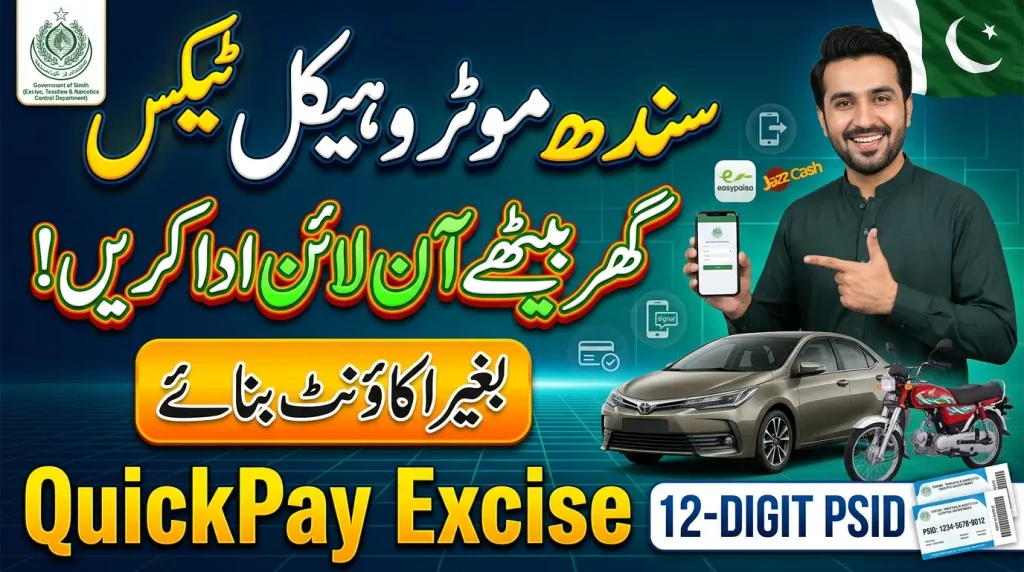
This complete Quick Pay Excise Sindh guide explains how Sindh Excise Quick Pay works, how to calculate vehicle tax, how to generate and use the PSID, which online payment methods are currently described by Sindh Excise, how to obtain your paid challan, what to do if the payment or vehicle record causes a problem, and how to avoid fake Excise payment pages. For other Pakistan vehicle and challan guides, you can also visit E-Challan Checker Pakistan.
What Is Quick Pay Excise Sindh?
Quick Pay Excise Sindh refers to the Quick Pay facility available through the Government of Sindh Excise online tax portal. It is designed to make the motor vehicle tax payment process faster by allowing eligible users to begin a vehicle-tax payment without first creating and logging into a full portal account.
The main Sindh Excise website currently lists Quick Online Tax Payment among its online services, while the tax portal labels the facility as Quick Pay. The portal also describes Quick Pay as part of its tax and number-plate payment services. This guide focuses specifically on the motor vehicle tax workflow.
Instead of visiting an Excise office simply to calculate an available vehicle-tax amount, a vehicle owner can enter the required vehicle information online. The system can retrieve the available vehicle record and then calculate the amount associated with the payment process.
Once the amount is calculated, the portal can generate a PSID. The PSID is then used through supported payment channels to connect the payment with the relevant government transaction.
Do You Need an Account for Quick Pay?
No. Sindh Excise currently states in its official FAQ that users do not need to register an account to use Quick Pay. This is one of the main differences between Quick Pay and the department’s account-based online tax-payment environment.
For Quick Pay, the user starts with basic vehicle and contact information. This can reduce the number of steps required when the immediate goal is simply to calculate and pay the eligible vehicle-tax amount.
How to Use Quick Pay Excise Sindh Online
The safest way to start is by opening the official Sindh Excise Quick Pay portal. Avoid entering your vehicle or payment information into a website simply because it uses the words “Excise Sindh” or “Quick Pay.” Always confirm that you are using the official Government of Sindh service.
The current Quick Pay page begins by asking the user to select a vehicle type. After that, the user enters a mobile number, vehicle registration number and captcha. The portal can then retrieve the available vehicle details.
Once the correct vehicle information appears, the system provides the tax-calculation stage. After reviewing the available tax details, the user can generate a PSID and proceed to payment through a supported channel.
The overall Quick Pay Excise Sindh process is therefore based on four broad stages: identify the vehicle, calculate the government amount, generate a PSID, and complete payment through an approved channel.

Step 1: Select Vehicle Type
The current Quick Pay form provides two main choices: 4 Wheeler and 2 Wheeler. Choose the option that correctly matches your vehicle before entering the remaining information.
For a normal car or another relevant four-wheel vehicle, select 4 Wheeler. For a motorcycle or another relevant two-wheel vehicle, select 2 Wheeler. Selecting the wrong category may prevent the portal from locating the expected vehicle information.
Step 2: Enter Your Mobile Number
The Quick Pay form currently asks for a mobile number in a Pakistani mobile-number format. Enter a number that you can access because Sindh Excise describes confirmation SMS messages as part of the successful payment process.
Check the number carefully before moving forward. If you enter someone else’s number or mistype your own, you may not receive the expected confirmation message after the transaction.
Step 3: Enter Registration Number
Enter the vehicle registration number exactly as required by the portal. The current form provides an example such as ABC-123. Your actual registration number should match your vehicle record.
If you are unsure about a letter, digit or registration format, confirm it from the official vehicle documents. A minor error can lead to the wrong result or prevent the vehicle details from appearing.
Step 4: Enter Captcha and View Vehicle Details
Complete the captcha displayed on the page and select the Vehicle Details option. The portal will attempt to retrieve information corresponding with the vehicle details you entered.
Before proceeding, make sure the retrieved vehicle appears to be the one you intended to pay for. Do not continue simply because a record appears. Vehicle verification before payment reduces the chance of paying against the wrong registration information.
How to Calculate Vehicle Tax in Quick Pay Excise Sindh
After the correct vehicle record is retrieved, the Quick Pay service provides an option to calculate the amount. The portal can display the available tax information associated with the vehicle and payment request.
The current interface contains sections for current tax and may show arrears where they are part of the calculated record. Users should review the amount displayed by the official portal rather than depending on an old tax table from another website.
Motor vehicle tax rates and payable amounts can depend on vehicle information and applicable government rules. Therefore, the value calculated by the current official system should take priority over a generic estimate.
If the amount appears unexpected, check the vehicle information before generating a payment reference. It is better to clarify an incorrect record before payment than to try to fix a payment against the wrong vehicle later.
Current Tax and Arrears
The portal may distinguish current tax from arrears associated with the vehicle record. Review the information shown by the government system carefully before continuing.
Do not manually reduce the amount or assume that an old receipt clears the amount currently shown. If there is a genuine disagreement with the vehicle-tax record, use Sindh Excise’s official support route for clarification.
How to Generate PSID With QuickPay Excise
After confirming the vehicle details and calculated amount, the next important step in quickpay excise is generating the PSID. The official Sindh Excise FAQ describes PSID as a unique code generated against the selected vehicle for paying the tax.
The Sindh Excise motor vehicle tax PSID is currently described as a 12-digit code. This is important because PSID formats used by other government systems may be different. Do not copy instructions from Punjab ePay or another authority and assume that the same PSID length applies to Sindh Excise.
When the PSID is generated, save it carefully. You will need the exact payment reference when using the supported 1Bill or online payment process.
Before paying, make sure the PSID was generated through the official Sindh Excise portal for the vehicle you intended to pay. A random 12-digit number received through an unknown message should not be treated as proof of a genuine government payment.
How Long Is a Sindh Excise PSID Valid?
Sindh Excise currently states that its motor vehicle tax PSID remains valid for the next 24 hours after generation. Therefore, generate the PSID when you are reasonably ready to complete the payment.
The official FAQ also says that if multiple PSIDs are generated for the same vehicle, the most recent PSID is valid. This is important if you generated a payment reference more than once while trying to complete the transaction.
How to Pay QuickPay Excise PSID Online
After generating the PSID, the payment can be completed through the channels currently supported by Sindh Excise and its payment partners. The official portal provides instructions for 1Bill-based payment through banking and branchless channels.
Different payment services can use slightly different menus. Therefore, follow the exact current interface provided by your bank, wallet or payment service rather than relying only on an old screenshot.
The most important details are the 12-digit PSID and the government-payment information fetched against it. Review the details before final confirmation and make sure the amount corresponds with the payment you intended to make.
You can also use the official Sindh Excise Pay Online / Search PSID service where applicable. The current portal provides PSID search together with online payment options.
Pay Through ATM
Sindh Excise currently describes ATM payment through the 1Bill Invoice or Voucher payment option. After entering the 12-digit PSID, the system can fetch the relevant payment details for review.
Check the information displayed on the ATM before confirming payment. Never continue if the fetched details clearly do not match the government transaction you intended to settle.
Internet and Mobile Banking
The official Sindh Excise instructions also describe internet and mobile banking through 1Bill Invoice and Voucher payments. Users log into their own bank’s genuine application or online banking service and enter the PSID into the relevant payment section.
Use only your bank’s official service and never give a banking password or OTP to someone who offers to perform the payment for you.
Branchless Banking and Wallets
Sindh Excise’s current guidance includes branchless payment methods connected with 1Bill. The FAQ mentions EasyPaisa and JazzCash in its branchless and over-the-counter payment guidance.
The separate Pay Online interface currently also displays online payment choices that include EasyPaisa and JazzCash as well as other payment options. Follow the current official screen because available providers and payment interfaces can change.
Over-the-Counter Payment
The department also describes over-the-counter payment through participating 1LINK member-bank branches or relevant branchless agents. The PSID is used to identify the levy or government payment.
If using a counter, keep the receipt provided after payment. Do not leave without checking that the transaction details correspond with your intended government payment.
Quick Pay Excise Sindh Pay Online Options
In addition to the traditional 1Bill channels, the current Sindh Excise Pay Online interface provides online payment options through its digital payment integration. The interface currently lists payment methods such as debit or credit card, EasyPaisa and JazzCash, and account transfer.
These options are reached through the official payment environment rather than an unknown payment link. Users should review any bank charges or service information displayed before confirming a transaction.
Payment options can be updated over time. Therefore, this guide does not assume that every channel will permanently remain available. The current Sindh Excise payment page should always be treated as the final source for the payment options offered at the time of your transaction.
Regardless of which payment method is used, keep the PSID and final transaction proof after a successful payment.
How to Get Paid Challan After Quick Pay Excise Payment
Once a Quick Pay Excise Sindhpayment succeeds, keeping proof of the transaction is important. Sindh Excise states that a confirmation SMS is sent to the registered mobile number after successful payment through its supported process.
The department’s official FAQ also explains that users who pay their motor vehicle tax through Quick Pay can obtain the paid challan using the link received in the confirmation SMS.
Open only the confirmation associated with your genuine Sindh Excise transaction. Save the paid challan as a PDF or other available document and keep the payment receipt from your bank or wallet as additional proof.
Maintaining both the government challan and the financial transaction receipt is useful if you later need to confirm when the tax was paid or investigate a record that appears incorrect.
Lost the Paid Challan?
If you later lose the paid challan or confirmation link, Sindh Excise currently provides a separate Re-Print Challan service.
The current reprint form asks for the vehicle type, registration number, challan paid date and captcha. This can help eligible users retrieve another copy of a paid vehicle-tax challan.
How Fast Does Sindh Excise Tax Update After Payment?
The current Sindh Excise FAQ states that motor vehicle tax updates in real time after a successful transaction from the consumer end. This means the department’s stated system is designed to update the vehicle-tax position once the payment has successfully completed.
However, users should still retain their transaction evidence. If your own vehicle record does not appear as expected, check whether your financial institution actually marked the transaction successful rather than pending, reversed or failed.
Compare the registration number and PSID with the payment evidence. If everything appears correct but the government record remains inconsistent, use Sindh Excise’s official support channel instead of paying the same amount again.
A payment problem should be investigated using transaction evidence. A second payment should not be used as the first solution to a missing or delayed record.
Quick Pay Excise Sindh for Cars and Motorcycles
The current Quick Pay form supports both 4 Wheeler and 2 Wheeler selections. This makes it relevant for many common Sindh vehicle owners, including car and motorcycle owners whose eligible vehicle-tax information is available through the system.
The main workflow remains similar for either category: choose the correct vehicle type, provide the requested mobile and registration information, retrieve the vehicle record, calculate the available amount and generate the PSID.
Do not select 4 Wheeler simply because your motorcycle registration number does not appear immediately. Check the correct vehicle category and registration format first.
Likewise, if a car record does not appear, do not try random motorcycle or other vehicle categories. Use the official vehicle documents to confirm what should be entered.
Quick Pay Excise Sindh vs Registered Account Payment
Sindh Excise provides both account-based online services and Quick Pay. The main practical advantage of Quick Pay is that the official FAQ says registration is not required before starting the payment process.
An account can still be useful for users who want account-based features such as managing multiple vehicles or viewing tax-related information through their registered profile. The Sindh Excise FAQ says users with more than one vehicle can add multiple vehicles to the same account.
Quick Pay is more focused on completing a payment quickly with the vehicle and mobile information required by the service. Therefore, the best option depends on whether you want a one-time faster payment flow or broader account-based vehicle management.
Both processes should still be accessed through the official Sindh Excise environment. Avoid unofficial websites that ask users to create unnecessary accounts merely to redirect them to the same government service.
What If Quick Pay Excise Sindh Vehicle Details Are Not Showing?
If the vehicle record does not appear, first check the vehicle type and registration number. An incorrect category, misplaced letter, wrong digit or formatting error can prevent the expected result.
Use the registration information from the official vehicle documents. Do not depend only on how the number plate looks if the registration record uses a specific format.
If the details remain unavailable, avoid entering random variations into unknown websites. The correct next step is to use Sindh Excise’s official vehicle services or contact information for clarification.
The department’s main Sindh Excise website provides official online-service navigation and current department information. Start there when you need to confirm whether a service or link is genuine.
Multiple PSIDs Generated for the Same Vehicle
Sometimes a user may generate a PSID, leave the page, return later and generate another one for the same vehicle. This can create confusion about which reference should be used.
The official Sindh Excise FAQ currently states that if multiple PSIDs are generated for the same vehicle, the most recent PSID is valid. Therefore, do not automatically use an older reference simply because you saved it first.
Also remember the stated 24-hour PSID validity period. If a payment reference has expired, return to the official process rather than trying to force the expired reference through an unrelated payment channel.
Keep only the PSID that is relevant to the transaction you intend to complete and verify the fetched payment details before confirming payment.
QuickPay Excise Payment Failed or Pending
If payment does not complete successfully, do not assume that the tax has been paid simply because you entered the PSID. Check your bank, wallet or payment service to see whether the transaction is successful, failed, reversed or still pending.
A PSID generation is not the same as completing the government payment. The transaction must actually succeed through the supported payment process.
If money appears to have been deducted but no confirmation is available, preserve your transaction ID, date, amount and PSID. These details can be useful when contacting the financial institution or Sindh Excise about the transaction.
Do not repeatedly pay against new PSIDs until you understand what happened to the previous transaction. Multiple payments can make a simple payment-status problem more complicated.
Do Not Pay Twice Without Checking
A missing confirmation SMS by itself does not prove that the transaction failed. Check the actual financial transaction and official vehicle-tax record before trying to pay again.
If the first transaction was successful, keep the evidence and seek official assistance rather than creating an unnecessary duplicate payment.
How to Use QuickPay Excise Safely
Always access Quick Pay through the official Sindh Excise website or tax portal. A fake website can copy government colors, logos and wording, so visual appearance alone is not enough to prove that a payment page is genuine.
Never share your banking password, ATM PIN, card CVV or OTP with another person who claims to be helping you pay vehicle tax. Those credentials are not needed by an agent simply to identify your Sindh Excise vehicle record.
If an unknown SMS provides a supposed Excise payment link, open the government portal independently instead. Verify the vehicle and amount yourself before using any payment reference.
After paying, keep the challan and financial receipt private. Do not post documents containing personal, vehicle or transaction details publicly unless there is a genuine need to share a properly redacted copy.
Common Quick Pay Excise Sindh Mistakes
The first common mistake is using a Quick Pay guide for the wrong province. This article covers the official Sindh Excise process. Punjab, Khyber Pakhtunkhwa and other jurisdictions use different tax and payment systems.
The second mistake is choosing the wrong vehicle type. Always select 2 Wheeler or 4 Wheeler according to the actual vehicle before requesting its details.
Another mistake is entering the registration number incorrectly. Check it against the official vehicle record instead of relying only on memory.
Some users also confuse the 12-digit Sindh Excise PSID with payment identifiers used by other authorities. Always use the PSID generated by the official Sindh Excise service for the specific vehicle-tax transaction.
Finally, do not forget the 24-hour validity period described in the official FAQ. If you generate several PSIDs, the department currently states that the latest one is valid for the same vehicle.
Quick Pay Excise Sindh Frequently Asked Questions
Final Thoughts
Quick Pay Excise Sindh Sindh provides a convenient official route for eligible vehicle owners who want to calculate and pay motor vehicle tax without first registering a full online account. The process starts with the vehicle type, mobile number and registration number, followed by vehicle verification and tax calculation.
Once the amount is confirmed, the system can generate the Sindh Excise 12-digit PSID. The department currently states that this PSID remains valid for 24 hours and that the newest PSID is valid when multiple references have been generated for the same vehicle.
Use only the official payment route and review the details before confirming the transaction. After payment, keep the confirmation SMS, PSID, bank or wallet transaction record and paid challan. If you lose the paid challan later, use the official Sindh Excise Re-Print Challan service rather than making another payment.
Most importantly, do not provide banking passwords, PINs, CVVs or OTPs to someone claiming to be an Excise agent. Open the official government portal independently and complete the process through recognized channels. For additional vehicle, tax and challan guides, visit EChallanChecker.online, an independent informational website that helps users find the correct official service.