
Excise Reprint Challan Sindh 2026 – Easy Complete Guide
Excise reprint challan is an official online facility that can help Sindh vehicle owners obtain another copy of a previously paid motor vehicle tax challan. This is useful when the original receipt has been lost, the PDF was not saved, a printed copy has been misplaced, or you need payment proof again for your personal vehicle records.
The Government of Sindh Excise, Taxation and Narcotics Control Department currently provides a dedicated Re-Print Challan service on its official tax portal. The form asks for the vehicle type, registration number, challan paid date and captcha. After the information is verified, the relevant paid challan can be retrieved where the official system is able to match the payment record.
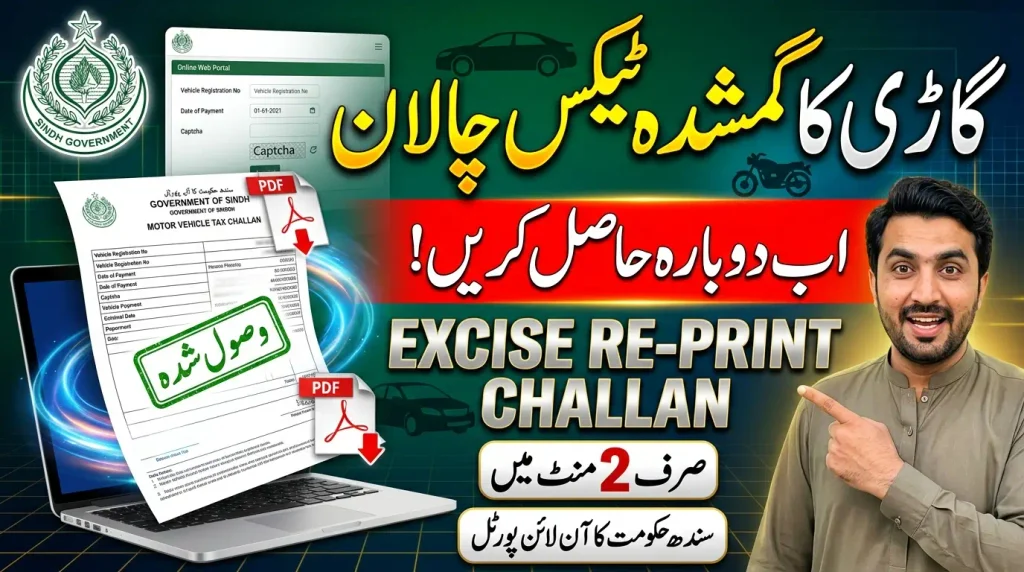
This guide explains the complete excise reprint challan process, including who can use it, which information is required, how to enter vehicle details correctly, what to do if the challan is not found, how Quick Pay and PSID relate to the process, and how to keep your vehicle-tax payment proof safe. For other vehicle and challan information, you can also visit E-Challan Checker Pakistan.
What Is Excise Reprint Challan?
Excise reprint challan means obtaining another copy of a motor vehicle tax challan that has already been paid and recorded in the Sindh Excise system. It is different from generating a new tax demand or creating a new PSID for an unpaid vehicle tax liability.
The distinction is important. If you still need to calculate and pay motor vehicle tax, you may need the official Quick Pay or tax-payment service. If the payment has already been completed and you simply need the challan receipt again, the Re-Print Challan service is the more relevant option.
Sindh Excise currently labels this facility as “Re-Print Challan.” Its form is designed around a paid transaction because one of the required fields is the Challan Paid Date. Therefore, users should have the payment date available before beginning the online reprint process.
A reprinted challan can be useful for maintaining vehicle records, showing motor vehicle tax payment proof where appropriate, keeping documentation for a vehicle sale or transfer, or simply replacing a receipt that has been lost.
Reprint Challan vs Generate New Challan
Generating a new challan normally belongs to the tax-calculation and payment stage. In Sindh Excise Quick Pay, users enter their vehicle information, calculate the applicable amount and can generate a PSID for payment.
Reprinting is different. The payment has already occurred, so the objective is to locate the existing paid challan record and produce another copy. You should not generate a second payment merely because the first receipt has been lost.
How to Reprint Excise Challan Online
The official Sindh process is straightforward when you already have the correct vehicle and payment details. Start by opening the Sindh Excise Re-Print Challan service. Always check that you are using the official Government of Sindh Excise tax portal before entering vehicle information.
The page currently asks for four main pieces of information: vehicle type, registration number, challan paid date and captcha. Each detail should match the vehicle and the paid transaction you are trying to retrieve.
After completing these fields, use the Verify button. The system will attempt to match your information with an eligible paid challan record. Where a matching record is available, follow the portal’s current options for viewing, downloading or printing the challan.
Do not use guessed registration information or an approximate payment date. The excise reprint challan process depends on matching your input with the existing government payment record, so accurate information gives you the best chance of locating the correct receipt.

Step 1: Select Vehicle Type
The current official form offers two vehicle-type choices: 4 Wheeler and 2 Wheeler. Select the category that matches the vehicle whose paid tax challan you want to retrieve.
Choosing the correct vehicle type is important because the system uses your input to search the corresponding record. A motorcycle or similar two-wheeler should not be entered as a four-wheeler, and a car should not be entered as a two-wheeler.
Step 2: Enter Registration Number
Enter the vehicle registration number in the Registration No field. The official page currently gives an example such as ABC-123. Use your own actual registration number and follow the formatting guidance shown on the portal.
Check every letter and number before continuing. A small typing error can prevent the system from matching the paid challan. If you are unsure of the registration number, confirm it from the vehicle’s official documents rather than relying on memory.
Step 3: Enter Challan Paid Date
The next required field is the Challan Paid Date. This should be the date on which the relevant vehicle-tax challan was paid. Use the date associated with the successful payment rather than the date on which you are attempting to reprint the receipt.
The portal itself should be followed for the current date-entry format. Avoid inventing or assuming a format from another website because online interfaces can change. If you are uncertain about the payment date, check your bank transaction, mobile-wallet record, confirmation message or other payment proof.
Step 4: Complete Captcha and Verify
Enter the captcha code displayed on the official page. The captcha helps the government portal distinguish genuine user requests from automated activity. If the code is difficult to read, use the refresh option provided by the portal instead of repeatedly guessing.
After reviewing all details, press Verify. If the vehicle and payment details match a record available through the service, follow the resulting option to access the challan receipt.
What Details Are Required for Excise Reprint Challan?
The current Sindh Excise online reprint form is relatively simple. It does not publicly ask users to upload a CNIC copy, smart card image, bank receipt image or other document merely to start the reprint search.
The required public fields currently shown are the vehicle type, registration number, challan paid date and captcha. This is useful because users can try to retrieve the paid receipt without unnecessarily uploading sensitive identity documents.
You should still make sure the information belongs to the vehicle and payment you are authorized to manage. Do not use another person’s vehicle or payment information without a legitimate reason.
Keeping the registration number and payment date available before opening the portal makes the excise reprint challan process faster and reduces failed verification attempts.
Excise Reprint Challan for Cars and Motorcycles
The official Sindh reprint service currently provides separate selections for 4 Wheeler and 2 Wheeler vehicles. This makes the service relevant to both common car owners and motorcycle owners whose eligible paid motor vehicle tax challan is available in the online system.
For a car or another relevant four-wheel vehicle, select 4 Wheeler before entering the registration number. For a motorcycle or relevant two-wheel vehicle, select 2 Wheeler.
The remaining process is based on the same essential information: registration number, challan paid date and captcha. Vehicle type should be selected correctly before verification because it helps the system identify the correct category of record.
Do not assume that one reprinted challan covers every tax period or every separate payment ever made for the vehicle. You are attempting to retrieve a particular paid challan associated with the information entered.
What If Excise Reprint Challan Is Not Found?
A failed search does not automatically mean your payment disappeared. Several basic issues should be checked before assuming that there is a problem with the official record.
First, confirm the vehicle type. If a motorcycle has accidentally been selected as a four-wheeler, or the opposite, correct the selection and try again. Next, check the registration number character by character against the official vehicle documents.
The paid date is also important. Make sure you are entering the date of the successful challan payment rather than the date when the PSID was originally generated or the date when you received a later message.
If you paid through a bank, mobile banking service or another supported payment channel, review your transaction history to identify the actual successful payment date. If the transaction was only pending or failed, there may not be a completed paid challan available to reprint.
Finally, make sure you are using the real Sindh Excise reprint service. A search on an unofficial portal may fail even when the government record exists.
Check Whether the Payment Was Successful
Before trying to recover a receipt, confirm that the payment itself succeeded. Look for a completed transaction in your bank or payment history and check any confirmation sent by the relevant payment channel.
If the payment failed, you should not expect the same process as a successfully paid challan. Follow the official tax-payment process instead of repeatedly trying to reprint an unpaid record.
Quick Pay and Excise Challan Reprint
Sindh Excise also provides a Quick Pay service for motor vehicle tax. Quick Pay is relevant when a user needs to calculate vehicle tax and generate the payment information before the transaction has been completed.
The current Quick Pay interface asks for information such as vehicle type, mobile number, registration number and captcha before vehicle details and tax information can be processed. Where a payment is due, the system can generate a PSID.
Sindh Excise describes Quick Pay as a faster method for paying motor vehicle tax without requiring registration of an account. This can be useful when the objective is payment rather than retrieval of an older paid receipt.
After successful Quick Pay payment, the department’s official FAQ says a paid challan can be downloaded using the link received in the confirmation SMS. If that link is no longer available later, the dedicated Re-Print Challan service provides another route for attempting to retrieve the paid record.
Do You Need an Account for Reprinting?
The public Re-Print Challan page is directly accessible and currently presents the vehicle and payment verification fields without first showing a mandatory account-login step on that form.
This is different from some other Sindh Excise online services that may involve account registration. Always follow the current interface because government portal requirements can change.
PSID and Sindh Excise Challan Explained
A PSID is used during the payment process and should not be confused with the final paid challan receipt. According to the official Sindh Excise FAQ, its motor vehicle tax payment system uses a unique 12-digit PSID.
The department currently states that a generated PSID is valid for the next 24 hours and that the most recent PSID is valid if multiple PSIDs have been generated for the same vehicle. These rules are relevant at the payment stage.
Once payment has succeeded, your objective changes from paying the PSID to keeping proof of the completed transaction. The paid challan serves that record-keeping purpose.
If you have only a PSID but have not actually completed the payment, the excise reprint challan service should not be treated as a way to turn an unpaid payment request into a paid receipt. Complete and verify the legitimate payment process first.
Search PSID Before Payment
Sindh Excise also provides an official Search PSID service for its online payment process. This is relevant when the user is dealing with the payment reference itself rather than attempting to reprint a completed paid challan.
Use the service that matches your objective: PSID-related payment tools for the payment stage, and the Re-Print Challan service when you need another copy of the eligible paid challan.
How to Get Paid Challan After Online Tax Payment
The Sindh Excise FAQ describes more than one way in which a paid challan can be accessed depending on how the vehicle tax was paid. For account-based payments, the department refers to the Print Paid Challan or Tax Payment History option.
For Quick Pay users, the official FAQ states that the paid challan can be downloaded through the link received in the confirmation SMS after a successful transaction.
The separate Re-Print Challan facility is especially helpful if you later need the receipt again. Instead of creating another payment, use your vehicle type, registration number and original paid date to attempt to retrieve the existing record.
Once the receipt is available, save a digital copy in a secure location. You can also keep a printed copy with your vehicle-related records where appropriate. Good record keeping avoids the need to search for the same payment proof repeatedly.
Is a Printed Paid Challan Enough as Payment Proof?
Sindh Excise’s current FAQ says that after paying motor vehicle tax online, there is no need to obtain a stamp on the vehicle book and that a printed copy of the paid challan is enough for proof of the online tax payment.
This makes keeping the paid challan particularly useful. If the original printout is lost, the ability to retrieve another copy can prevent unnecessary confusion when you need evidence of the completed online payment.
However, a challan receipt should be treated as proof of the transaction shown on that receipt. It should not be assumed to prove that every possible tax, fee, ownership issue or separate vehicle obligation is clear.
For current vehicle information, use the relevant Sindh Excise vehicle service when additional verification is required rather than relying on one old payment receipt for every purpose.
Paid Challan Not Updating in Vehicle Record
Sindh Excise currently states in its FAQ that motor vehicle tax updates in real time after a successful transaction from the consumer end. Even so, if your own record appears incorrect, first confirm that the transaction was actually successful and that you paid against the intended vehicle.
Check the registration number, amount, payment date, PSID where applicable and transaction confirmation. Keep the bank or payment-service receipt together with the challan information.
If payment is confirmed but you still cannot retrieve the expected paid challan, recheck the Re-Print Challan fields. Make sure the paid date and registration number correspond to the same transaction.
If the problem remains, use the official Sindh Excise support information rather than making another payment. Paying twice simply because a receipt cannot be found can create a more complicated issue.
Do Not Pay the Same Tax Twice
A missing PDF or failed reprint attempt is not proof that the original transaction failed. Check the payment evidence first. If your bank or payment channel confirms that the transaction succeeded, preserve that evidence while the issue is investigated.
Only make another payment when the official process clearly shows that a valid amount is still due and you have confirmed what happened to the earlier transaction.
Excise Challan Reprint After Losing Original Receipt
Losing a printed challan does not necessarily mean you have lost all evidence of the tax payment. If the payment is stored in the official online system and your details can be verified, the reprint facility may allow you to obtain another copy.
Prepare the vehicle registration number and the date on which the challan was paid. Then open the official reprint page, select the correct vehicle type, enter the registration information and paid date, complete the captcha and verify.
When the replacement copy is available, save it in more than one secure place. For example, you can keep the PDF in your personal records and keep a separate printed copy where appropriate.
A reliable record-management habit is especially useful for owners who make regular vehicle-tax payments. Instead of depending only on a paper receipt, maintain digital payment evidence as well.
Common Excise Reprint Challan Mistakes
The first common mistake is using the wrong provincial portal. This article covers the Government of Sindh Excise Re-Print Challan facility. Do not assume the same fields and procedure apply to Punjab, Khyber Pakhtunkhwa, Islamabad or another jurisdiction.
The second mistake is entering the wrong registration number. Always compare it with official vehicle documents before pressing Verify. A single wrong letter or digit can stop the correct record from appearing.
The third mistake is using the wrong paid date. PSID generation date, challan generation date and successful payment date are not necessarily the same event. The reprint form specifically asks for the Challan Paid Date.
Another mistake is trying to use reprinting as a payment method. Reprinting does not replace paying an outstanding amount. If the vehicle tax remains unpaid, use the relevant official tax-payment process.
Finally, avoid unofficial “reprint services” that ask for unnecessary CNIC images, banking credentials or OTPs. The official public reprint page currently uses vehicle and paid-date information with captcha verification.
How to Use Excise Reprint Challan Safely
Start from the official Government of Sindh Excise Tax Portal instead of clicking a random link received through an unknown SMS, WhatsApp message or social-media account. Government-style colors and logos on a website do not automatically make it genuine.
Only provide the information required by the official service. You should never share your banking password, ATM PIN, card CVV or OTP with someone who claims they need those details to reprint an Excise challan.
The reprint process is about retrieving a payment record, not giving another person access to your bank account. If anyone asks for sensitive financial credentials in exchange for obtaining the challan, stop and return to the official portal.
Once the receipt has been retrieved, store it carefully. Avoid posting a full challan publicly because vehicle, owner or transaction information visible on a government document may be private.
Excise Reprint Challan Frequently Asked Questions
Final Thoughts
Excise reprint challan is a useful Government of Sindh online facility for vehicle owners who need another copy of an eligible paid motor vehicle tax challan. Instead of making another payment or depending on an unofficial agent, users can attempt to retrieve the existing paid record directly from the official Sindh Excise tax portal.
The current process requires you to choose 4 Wheeler or 2 Wheeler, enter the correct vehicle registration number, provide the Challan Paid Date, complete the captcha and press Verify. Accurate details are important because the system needs to match your input with the relevant paid transaction.
If the receipt is not found, verify the vehicle type, registration number and successful payment date first. A missing receipt should not automatically lead to another payment. Keep your bank transaction or other payment proof while resolving any issue through the official service.
Once your paid challan is available, save both a digital and printed copy where appropriate. For additional Pakistan vehicle, tax and challan guides, visit EChallanChecker.online, an independent informational website that helps users find the correct official service.