
How to Pay E Challan Online 2026 – Easy Complete Guide
How to pay e challan online is an important question for vehicle owners in Pakistan who want to clear a traffic fine without unnecessary visits or confusion. Digital traffic enforcement has made challan verification and payment easier in several parts of the country, but the exact process can differ depending on the authority that issued the challan.
A driver may receive an electronic traffic challan after a violation is recorded through a traffic officer, camera-based system, safe city network, or another authorized enforcement process. Once the challan becomes available in the relevant system, the vehicle owner can normally verify the record and follow the payment instructions provided by that authority.
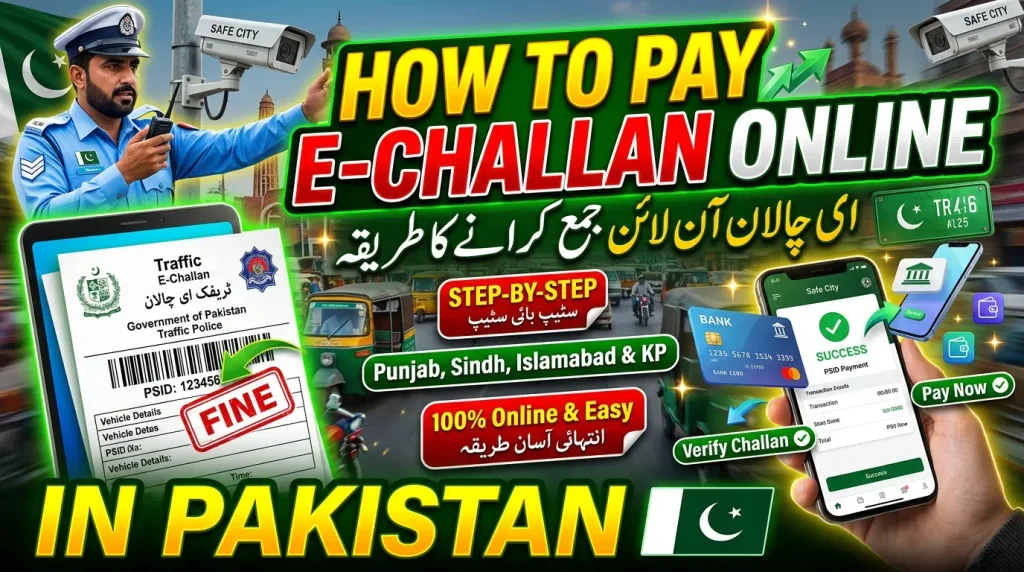
The most important rule is to verify the challan before paying it. Check the vehicle number, violation, fine amount, challan reference, and issuing authority. After that, use only an official or authorized payment method. Never send money to a personal account or unknown number simply because an SMS claims that your vehicle has a traffic fine.
This complete guide explains how online e-challan payment works in Pakistan, including challan verification, PSID generation, Punjab payment methods, Islamabad e-challan payment, Sindh and Karachi payment safety, payment status checking, failed transactions, duplicate payments, incorrect challans, scam prevention, and common mistakes.
What Does Online E-Challan Payment Mean?
Online e-challan payment means clearing an eligible electronic traffic fine through a digital or electronically supported payment process provided by the responsible authority. Instead of handling every challan entirely through a physical counter, the driver may be able to verify the record, obtain a payment reference, and complete payment through an authorized digital channel.
The payment process is closely connected with challan verification. A payment should not begin with sending money. It should begin with confirming that the challan is genuine and belongs to the correct vehicle. This prevents accidental payments and reduces the risk of responding to fake challan messages.
Online payment does not mean that every city in Pakistan uses exactly the same portal or payment method. Punjab, Islamabad, Sindh, and other jurisdictions can operate different systems. Therefore, the location and issuing authority should always be identified first.
Verify the Challan Before Payment
Always verify the challan before making a payment. Check the vehicle registration number and compare the displayed information with the actual vehicle documents. If the system provides a date, location, violation type, challan number, or fine amount, review those details as well.
If a record appears unfamiliar, do not pay simply to make the issue disappear. An incorrect vehicle number, ownership mismatch, duplicate record, or another problem may require clarification. Payment should be made only after you are reasonably satisfied that the official record is correct.
How to Pay E Challan Online in Pakistan
How to pay e challan online in Pakistan depends mainly on which authority issued the challan. However, the overall process can be understood in a few stages: identify the authority, verify the challan, obtain the payment information, use an authorized payment channel, save the receipt, and confirm that the status has updated.
Following this order is much safer than immediately trying to pay a fine. It gives the driver an opportunity to identify errors before money is transferred and makes it easier to keep a proper payment record.
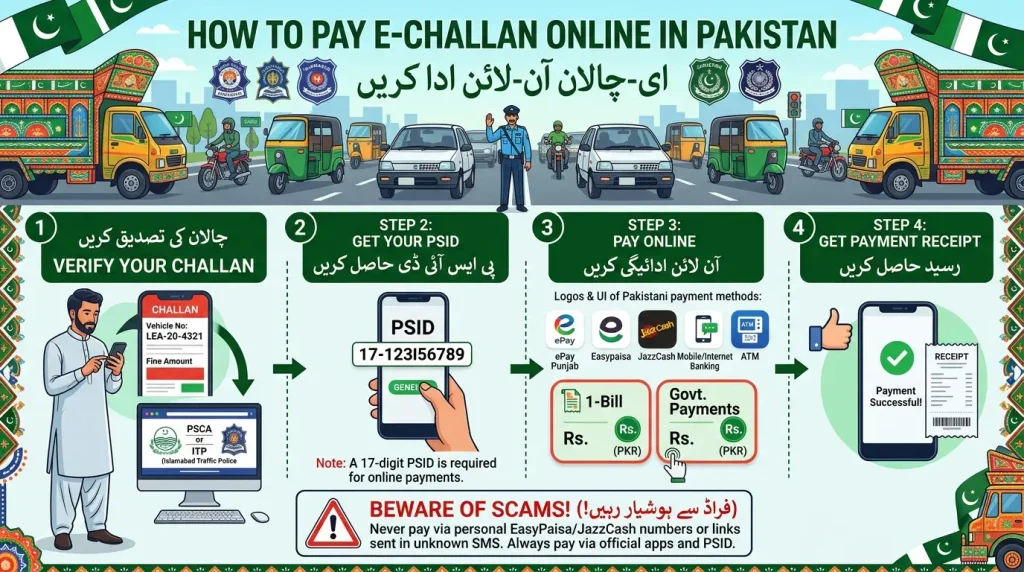
Step 1: Identify the Issuing Authority
Start by identifying where the traffic violation occurred and which authority is responsible for the challan. A Punjab Safe Cities challan should not automatically be treated the same as an Islamabad or Karachi traffic challan.
If you received a printed challan, SMS, or digital notice, check whether it clearly identifies the issuing police, traffic police, safe city authority, or other government body. If you are checking proactively, use the location of the traffic event as your starting point.
Step 2: Check the E-Challan Record
Open the relevant official verification system and enter the information requested by that service. Depending on the authority, this may include a vehicle plate number, CNIC, chassis number, challan number, or another identifier.
Enter the information carefully. One wrong digit can produce no result or prevent the correct record from appearing. If a chassis number is required, compare every character with the vehicle documents instead of typing from memory.
Step 3: Obtain the Payment Reference
Where the system uses a payment reference such as a PSID, generate or obtain that reference through the official challan or government payment process. The reference connects the payment with the relevant government record.
Copy the reference carefully. Avoid using a PSID or payment number forwarded by an unknown person without first confirming that it belongs to your actual challan.
Step 4: Use an Authorized Payment Channel
After confirming the challan and payment reference, use a channel recognized by the issuing authority. Depending on the government system, authorized options can include mobile banking, internet banking, ATMs, mobile wallets, payment agents, bank counters, or another approved digital service.
Do not assume that every method works for every challan. Follow the options displayed by the current official service because payment facilities can differ between jurisdictions and can change over time.
Step 5: Save and Verify the Payment
After payment, save the receipt, transaction number, PSID, banking confirmation, or other official payment evidence. Do not delete it as soon as the transaction finishes.
Check the challan status again after the payment has had time to process. If the record updates correctly, the receipt can still be kept for future reference. If it does not update, the payment evidence becomes especially important.
How to Pay Punjab E Challan Online
Punjab has one of the clearest digital workflows for Safe City e-challans. The official ePay Punjab guidance explains that a user can search eligible Safe City challans by entering vehicle information and the required identifying information, review available challans, select the challan to be paid, and generate a PSID.
Once the PSID has been generated, the user can use supported payment channels. Current ePay Punjab information lists methods such as ATM, internet banking, mobile banking, mobile wallets, supported agent networks, and over-the-counter banking options.
The important point is that the PSID should come from the proper government payment process. Do not use a payment reference received from an unknown social media account, WhatsApp sender, or personal message unless you have independently confirmed it through the legitimate challan system.
Punjab PSID Payment Process
For Punjab Safe City e-challans, the payment process can involve selecting the desired challan and generating a payment identifier. That identifier is then used through the supported payment channel to connect the money with the correct challan.
Before confirming payment, compare the amount shown by the banking or payment interface with the challan amount. If anything appears inconsistent, cancel the transaction and verify the PSID again rather than guessing.
After payment, keep both the payment reference and transaction confirmation. These records are useful if the online challan status does not immediately reflect the transaction.
How to Pay Islamabad E Challan Online
Islamabad Capital Police provides an official e-challan verification service and currently describes its system as allowing users to check and pay traffic e-challans online through a secure digital payment process.
If the challan was issued in Islamabad, begin with the Islamabad authority instead of using the Punjab payment workflow. Verify the record through the official e-challan service, confirm the displayed vehicle and violation information, and then follow the payment instructions presented by that service.
Do not assume that a Punjab PSID workflow must automatically apply to an Islamabad challan. Even when different systems support online payment, the exact interface and steps can vary. Always follow the instructions for the jurisdiction that actually issued the challan.
How to Pay E Challan Online in Sindh and Karachi
Sindh and Karachi drivers should follow the current official e-ticketing or traffic challan instructions provided by the relevant Sindh Police or traffic authority. The payment process should begin with verification of the genuine challan rather than with an unexpected payment message.
Recent Karachi Police fraud guidance has specifically warned citizens about fake challan messages. The guidance states that genuine e-ticketing payment is associated with the proper challan and PSID rather than requests from personal numbers. This makes independent verification extremely important.
If a message claims that you must urgently pay a Karachi or Sindh e-challan, do not send money simply because the message includes your vehicle number. Confirm the challan through the recognized official system and use only the payment process shown for that genuine record.
What Is a PSID for E-Challan Payment?
A PSID is a payment identifier used by supported government payment systems to connect a payment with a particular government obligation. In e-challan payment workflows that use PSID, the number acts as an important link between the challan record and the money being paid.
The existence of a PSID does not mean that every number presented as a PSID should automatically be trusted. It should originate from the proper official challan or payment process and should correspond with the correct payable amount.
When entering a PSID into banking or another payment channel, check the digits before confirming the transaction. Where the payment interface displays bill or payment information, compare it with the expected challan details before proceeding.
Why the Correct PSID Matters
A payment reference is useful only when it connects to the intended challan. If the wrong identifier is entered, the transaction may not resolve the challan you intended to pay. That is why careful verification is necessary before confirming payment.
Do not manually alter a payment identifier or attempt to guess missing digits. Return to the official system and obtain the correct reference again if you are uncertain.
E-Challan Payment Through Mobile Banking
Where the relevant government payment system supports mobile banking, paying through a banking application can be convenient. The user generally needs the official payment reference generated for the challan and then follows the bill or government-payment options available inside the bank’s application.
The exact menu names can differ between banks. For that reason, this guide does not recommend choosing random categories simply because they contain the word traffic or government. Follow the instructions connected with the official payment service and verify the payment details before confirming.
Once payment is successful, save the digital receipt or transaction confirmation. A screenshot can be useful as an additional personal record, but the actual banking transaction reference should also be retained where available.
E-Challan Payment Through ATM or Bank Counter
Digital e-challan payment does not necessarily mean that a smartphone must be used. Some government payment systems also support ATMs or over-the-counter banking. This can be useful for vehicle owners who prefer traditional banking channels or do not use mobile banking.
Take the correct official payment reference with you and make sure the number is entered accurately. At a counter, explain that the payment relates to the relevant government payment reference rather than transferring money to an individual account.
Always collect and keep the receipt. If payment is made through an ATM, retain the transaction slip where one is available and save any digital confirmation associated with the transaction.
What Information Do You Need Before Paying?
Before learning how to pay e challan online, keep the basic vehicle and challan information ready. This can make verification faster and reduce failed searches. The information required depends on the issuing authority, but several details are commonly useful.
The vehicle registration number is often the starting point. Some systems may also require a CNIC, chassis number, challan number, or another identifier. If a payment reference has already been generated, keep that reference available as well.
Never guess identity information. If a vehicle belongs to another person or has not been properly transferred, the ownership mismatch may affect the checking process. Use legitimate records and correct ownership information.
Check the Amount Before Confirmation
Compare the amount displayed at payment time with the amount shown on the verified challan. If the values do not match, do not continue simply because the system allows you to press the payment button.
Return to the challan record and confirm that you selected the correct ticket, particularly if the vehicle has multiple outstanding challans. Paying one challan does not automatically mean that all other outstanding records are cleared.
How to Confirm an E-Challan Payment
A payment is not fully reassuring until you have both transaction evidence and an updated challan record. Immediately after payment, keep the official confirmation from the bank, wallet, payment application, or counter used for the transaction.
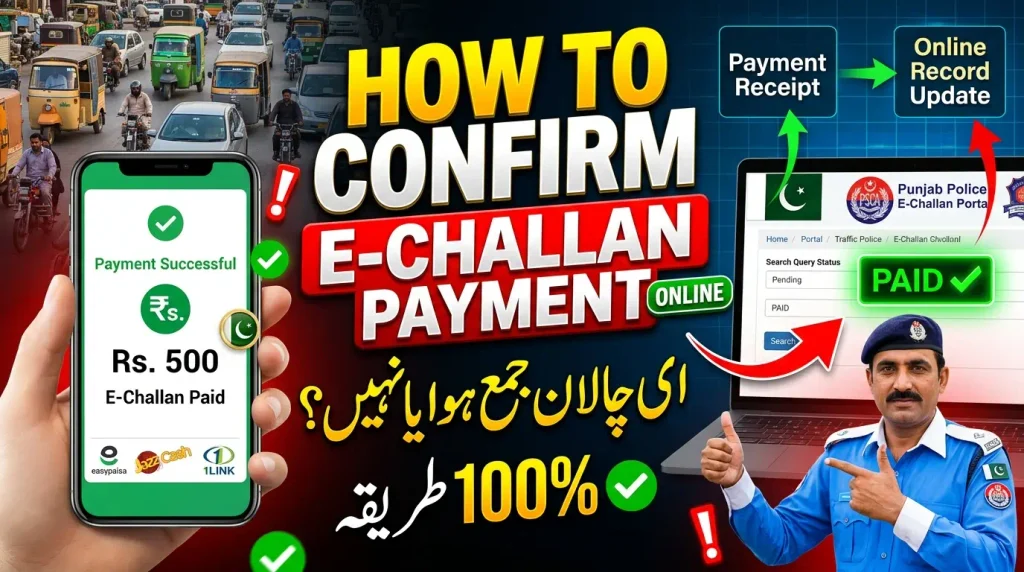
Then check the official challan service again after sufficient processing time. If the payment status has updated correctly, the challan should no longer appear in the same outstanding state according to the system.
Do not panic if the record does not change instantly. Digital payments and government databases can require processing time. The important thing is to retain the transaction evidence and avoid paying the same challan again without verification.
Paid E-Challan Still Showing as Unpaid
If an e-challan still appears unpaid after you have completed the transaction, the first step is to check the payment evidence. Confirm that the banking or wallet transaction was successful rather than pending, reversed, or failed.
Next, make sure you paid the correct payment reference. If the vehicle had several challans, confirm that the reference belonged to the exact challan that is still appearing as outstanding.
If the transaction was successful and correctly linked, allow for a reasonable processing period. When the status continues to remain incorrect, use the official support, facilitation, or complaint process of the issuing authority and provide the transaction information where required.
Do Not Pay the Same Challan Twice
A delayed status update is not a good reason to immediately repeat the payment. A second transaction can create a more difficult issue than the original delay.
Use the first payment receipt to investigate the status. Keep the challan number, PSID where applicable, transaction ID, date, amount, and payment channel available when seeking assistance.
What to Do If E-Challan Payment Fails
A failed payment can occur for several reasons, including an incorrect payment reference, temporary banking problem, insufficient balance, expired or invalid payment information, connectivity issue, or a technical interruption between systems.
First check whether money was actually deducted. If no transaction occurred, return to the official challan process, verify the payment reference, and try again through a recognized channel when the service is available.
If money was deducted but the transaction appears unsuccessful, do not repeatedly submit more payments. Keep the banking reference and contact the relevant payment provider or authority according to the circumstances.
What If the E-Challan Is Incorrect?
Do not pay an incorrect challan simply because online payment is available. First review the vehicle number, violation, date, location, fine amount, and any available supporting details.
If the vehicle information is wrong or the violation clearly appears unrelated to your vehicle, use the review or complaint mechanism of the authority that issued the record. Procedures can vary, so follow the current instructions provided by the responsible authority.
Keep screenshots of the official record where useful, together with vehicle documents and the challan reference. If the dispute concerns an earlier payment, keep that payment evidence as well.
How to Avoid Fake E-Challan Payment Messages
Fake traffic challan messages are one of the strongest reasons to verify before paying. A fraudulent message may use urgent language, claim that legal action is about to begin, include a suspicious payment link, or request money through a personal account.
Never treat the presence of your vehicle number in a message as complete proof that the payment request is genuine. Instead of using the link inside the message, independently access the relevant official challan service and search for the record.
If the official record confirms the challan, follow the recognized payment process. If it cannot be confirmed, do not pay through an unknown link, personal bank account, private mobile wallet, or individual phone number.
Protect Your CNIC and Banking Details
Challan checking can involve sensitive vehicle and identity information. Payment adds banking information to the process. For this reason, use trusted official systems and recognized payment channels.
Do not send photographs of your CNIC, debit card, banking screen, OTP, password, or other sensitive financial information to someone who claims they can pay or remove the challan for you.
Paying E-Challan Before Buying a Used Vehicle
A used vehicle can have outstanding traffic records connected with its previous use. Before purchasing a car or motorcycle, it can be useful to review available e-challan records together with other ownership and registration checks.
If an unpaid challan appears, discuss it with the seller before completing the transaction. This avoids uncertainty about whether the seller or buyer is expected to resolve an older traffic violation.
Where owner identity information is needed for challan verification, the seller should participate rather than giving sensitive personal details unnecessarily. A used-vehicle purchase should be transparent and properly documented.
Common Mistakes When Paying E-Challan Online
The first common mistake is paying before verification. An online payment option may be convenient, but convenience should not replace checking the vehicle and challan information.
Another mistake is using the wrong jurisdiction’s payment process. A driver may search for a generic Pakistan e-challan payment method and assume that the first procedure found online applies everywhere. This can lead to confusion because different authorities operate different systems.
Typing the payment reference incorrectly is another preventable problem. Always compare the number before confirming the transaction. If the amount shown at payment time is unexpected, stop and verify again.
Finally, failing to save a receipt creates unnecessary risk. The payment record is valuable evidence if the government system takes time to update or if a dispute appears later.
How to Pay E Challan Online – FAQs
Final Thoughts
How to pay e challan online becomes much easier when the process is handled in the correct order. First identify the authority that issued the traffic fine, then verify the challan, check the vehicle and violation information, obtain the official payment details, and use an authorized payment channel.
Punjab users can follow the applicable Safe City and ePay Punjab process, including PSID-based payment where provided. Islamabad drivers should use the official Islamabad e-challan workflow, while Sindh and Karachi drivers should confirm genuine e-ticketing records and follow the payment instructions associated with the official challan.
Regardless of location, never rush into payment because of an unexpected SMS or threatening message. Verify the record independently and protect your CNIC, banking information, payment references, and vehicle documents from suspicious websites or individuals.
Finally, keep the payment receipt until the challan status is clearly updated. If a payment fails, a paid record still appears unpaid, or the challan appears incorrect, use the relevant official support or complaint process instead of paying repeatedly. Careful verification and proper payment records make online e-challan payment safer, easier, and more reliable for vehicle owners in Pakistan.