DLIMS E Challan Online Check Punjab 2026 – Easy Guide
DLIMS e challan online check is a search term used by many Punjab drivers who want to verify a traffic fine online. In practice, however, this search can create confusion because DLIMS and Punjab e-challan services are connected to traffic administration in different ways. People often assume that DLIMS itself is the direct challan-checking portal, while the actual public challan verification process in Punjab is generally associated with the Punjab Safe Cities Authority and related payment systems.
If you searched for dlims e challan online check, the main goal is usually simple: confirm whether a vehicle has a valid e-challan, review the available details, and then follow the correct official payment process. That is why it is important to understand the role of each system before entering personal or vehicle information into any website. Using the wrong service can waste time, create confusion, and sometimes expose users to fake challan pages.
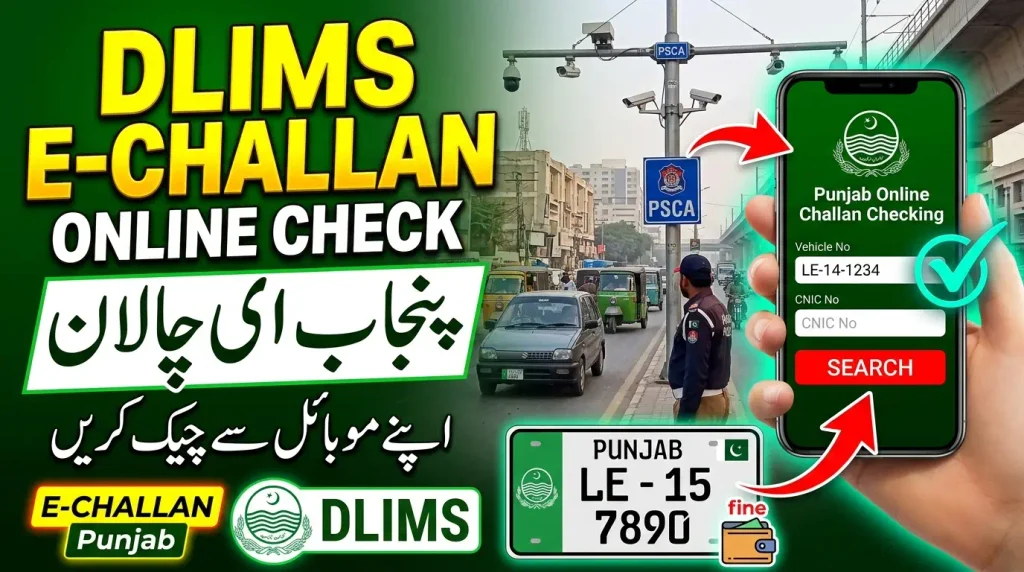
This guide explains dlims e challan online check in a practical and accurate way. It covers what DLIMS does, how Punjab e-challan verification works, which details may be needed, how payment is usually handled, what mistakes to avoid, and why official verification matters. If you also want a broader province-by-province overview, you can read our E-Challan Checker Pakistan guide for a wider explanation of how different authorities handle traffic fines.
What Is DLIMS E-Challan Online Check?
DLIMS e challan online check usually refers to a user’s attempt to check a Punjab traffic challan while also searching for information connected to the Punjab driving licence system. The phrase is common in search behavior, but the public should understand that the official DLIMS Punjab platform is primarily designed for driving licence services such as learner applications, renewals, verification, tracking, and related licence management functions.
That means DLIMS is important in the wider digital driving ecosystem, but it is not the same thing as the public Punjab e-challan search portal. For Punjab traffic fines, the public verification route is normally associated with the official PSCA E-Challan system, while payment services are tied into official government payment channels such as ePay Punjab.
So, when someone searches dlims e challan online check, the most useful answer is this: DLIMS matters because it belongs to Punjab’s digital licence ecosystem, but the actual challan verification process is generally handled through Punjab’s e-challan system rather than through DLIMS as a direct public challan database.
DLIMS, PSCA and ePay Punjab
The easiest way to understand the process is to separate the systems by purpose. DLIMS is for driving licence management. PSCA e-challan is the public-facing challan verification environment for Punjab Safe City traffic records. ePay Punjab supports official government payment flows, including traffic-related payments where applicable. This distinction helps users complete dlims e challan online check correctly instead of mixing up three different services.
Many users search all of these terms together because they only want one final result: check the challan, confirm it, and pay it safely. That search intention is understandable, but accurate use of the correct official service remains essential.
How Does DLIMS E-Challan Online Check Work in Punjab?
The practical process behind dlims e challan online check starts with identifying the authority and the service involved. If the challan belongs to Punjab’s camera-based or Safe City electronic traffic system, the user should begin with the official PSCA e-challan portal. This is where available challan records can be checked using the required search details.
Once the record is found, the user can review the vehicle information, violation details, fine amount, and status. Where the payment flow requires a government payment route, the next step moves toward the official payment mechanism. That is where ePay Punjab can become relevant. Meanwhile, DLIMS stays relevant mainly when the user’s broader concern also involves licence-related compliance, driving documents, or Punjab driving-licence services.
In other words, dlims e challan online check is best understood as a user search phrase, while the real service journey may involve more than one official Punjab platform. Knowing this difference saves time and improves accuracy.
Step-by-step checking flow
A simple way to complete the process is to open the official challan verification service, enter the requested details exactly as required, review the results carefully, and then use the recognized payment route if the challan is valid. If you are also trying to understand how digital traffic enforcement differs from manual ticketing, our E-Challan vs Manual Challan guide gives useful background.
The main point is not to rely on random websites that appear when you search dlims e challan online check. Search results may contain unofficial pages, and not all of them provide reliable or safe handling of personal data.
What Information Is Needed for DLIMS E-Challan Online Check?
When users perform dlims e challan online check, the exact details requested depend on the official service being used. For Punjab’s public e-challan search, the official process is centered on the required verification fields shown by the government system. Users should enter only the information requested by the official service and avoid sending sensitive details to any unofficial page.
In general, the process may involve vehicle identification and owner-linked information used by the official system for record matching. The purpose of this information is to locate a relevant e-challan record and show the available result for review.
It is very important to enter the details exactly as required. A minor mistake in the registration format, identity digits, or other fields can cause a valid challan record to appear missing. Many “not found” results happen because the wrong information was entered rather than because no challan exists.
Review the challan details carefully
After a record is found, the next step in dlims e challan online check is reviewing the result carefully. Check the vehicle information, type of violation, date, and payment-related information where available. If something appears incorrect, do not rush into payment before understanding the issue.
A careful review helps prevent two common problems: paying a challan that does not appear to match your vehicle, or ignoring a genuine challan because the result was misunderstood.
How to Pay After DLIMS E-Challan Online Check
After completing dlims e challan online check and confirming that the challan is genuine, the next step is payment through the official government route connected with the challan workflow. Punjab’s digital payment environment includes ePay Punjab, which supports multiple government payments and is relevant for traffic-challan and eChallan related payment flows.
Traffic Police Punjab also explains that a traffic violation ticket can involve a PSID-based payment process. This means the user should always rely on the officially generated payment reference and approved payment channel rather than sending money through an unknown person, fake SMS link, or unofficial website.
The safest approach is simple: verify the challan first, confirm the details, use the official payment route, and save the proof of payment. Good record-keeping becomes very helpful if the status does not update immediately or if a later verification is needed.
Why payment proof matters
Once a payment is made, keep the receipt, transaction reference, and any challan-related number linked with the payment. Payment proof supports your record if you later need to show that the fine was paid correctly. This is especially important when digital records take time to refresh.
Many users finish dlims e challan online check successfully but fail to save proof afterward. That small mistake can create unnecessary stress later.
Common Problems in DLIMS E-Challan Online Check
One of the biggest problems in dlims e challan online check is the assumption that every Punjab digital traffic service belongs to the same portal. In reality, licence management, challan verification, and payment systems can work together without being exactly the same service. Users who do not understand this often look in the wrong place and conclude that the system is not working.
Another common problem is entering the wrong information. A missing letter, number formatting mistake, wrong owner-linked detail, or even the use of outdated vehicle records can lead to a failed search result. This is why careful data entry is so important.
A third problem is fake or misleading websites. Some pages are designed to attract users who search terms like dlims e challan online check and then try to collect personal data, financial information, or payment transfers outside the official system. Drivers should never trust such pages simply because they use government-related wording.
Why a challan may not appear
A challan may not appear because the wrong service was used, the entered details were incorrect, the challan belongs to another authority, or the record has not yet updated in the system. The correct response is to recheck the entered data and confirm that the right official portal is being used before assuming the record does not exist.
DLIMS E-Challan Online Check and Driving Licence Services
A useful part of understanding dlims e challan online check is knowing where DLIMS actually matters. DLIMS is part of Punjab’s official digital driving-licence environment. It supports services such as driving licence application handling, verification, tracking, and related licence processes through Punjab’s current digital framework.
This means a driver may interact with both licence services and challan services during normal driving life, but that does not automatically turn DLIMS into the public challan-check portal. It remains important because safe and lawful driving involves both proper licensing and traffic-rule compliance.
If your concern is about driving-document management rather than a traffic fine, then the correct next step is to use the official DLIMS Punjab service. If your concern is an e-challan, then the Punjab e-challan verification route remains the key service path.
Why users connect the two systems
People connect DLIMS and e-challan because both belong to the wider legal-driving ecosystem in Punjab. A person who manages a driving licence online may naturally expect a challan to be checked through the same environment. That expectation is understandable, but using the proper official service remains necessary for accurate results.
Safety Tips for DLIMS E-Challan Online Check
Always start with an official portal. If you are checking a challan, use the recognized Punjab e-challan service. If you are handling a licence matter, use official DLIMS. If payment is required, use the official government payment route. This simple rule greatly reduces the risk of fraud and mistakes.
Never share CNIC copies, vehicle documents, OTPs, banking passwords, card PINs, or private financial details with an unknown website or social-media page. Searching dlims e challan online check can lead to many unofficial results, so caution is essential.
Also remember that a suspicious SMS is not proof of a genuine challan. Verify first through the proper official system, then decide whether payment is actually required. Independent checking is safer than reacting emotionally to a message that looks urgent.
DLIMS E-Challan Online Check FAQs
Final Thoughts
DLIMS e challan online check is a useful keyword, but the real process becomes much clearer once the systems are separated by purpose. DLIMS is the Punjab driving licence platform, while public Punjab e-challan verification is generally linked with the official e-challan service, and payment is handled through recognized government payment channels.
The safest and smartest approach is to use the correct official service for the correct job. If you need licence-related help, use DLIMS. If you need to verify a Punjab e-challan, use the official challan verification system. If payment is required, follow the official payment route and keep your receipt safe.
This method reduces confusion, improves accuracy, and protects you from fake websites. For broader traffic-fine guidance across Pakistan, you can also visit our E-Challan Checker Pakistan homepage for more region-based information and practical checking guidance.